Kometizarr

Multi-source rating overlays for your Plex media library

Automatically enhance your movie and TV show posters with beautiful rating badges from IMDb, TMDB, and Rotten Tomatoes

What is Kometizarr?

Kometizarr is a self-hosted Docker application that automatically applies rating badges to your Plex library posters. It fetches ratings from multiple sources and creates beautiful overlay badges, all while keeping your original posters safely backed up.

Features

🎬

Multi-Source Ratings

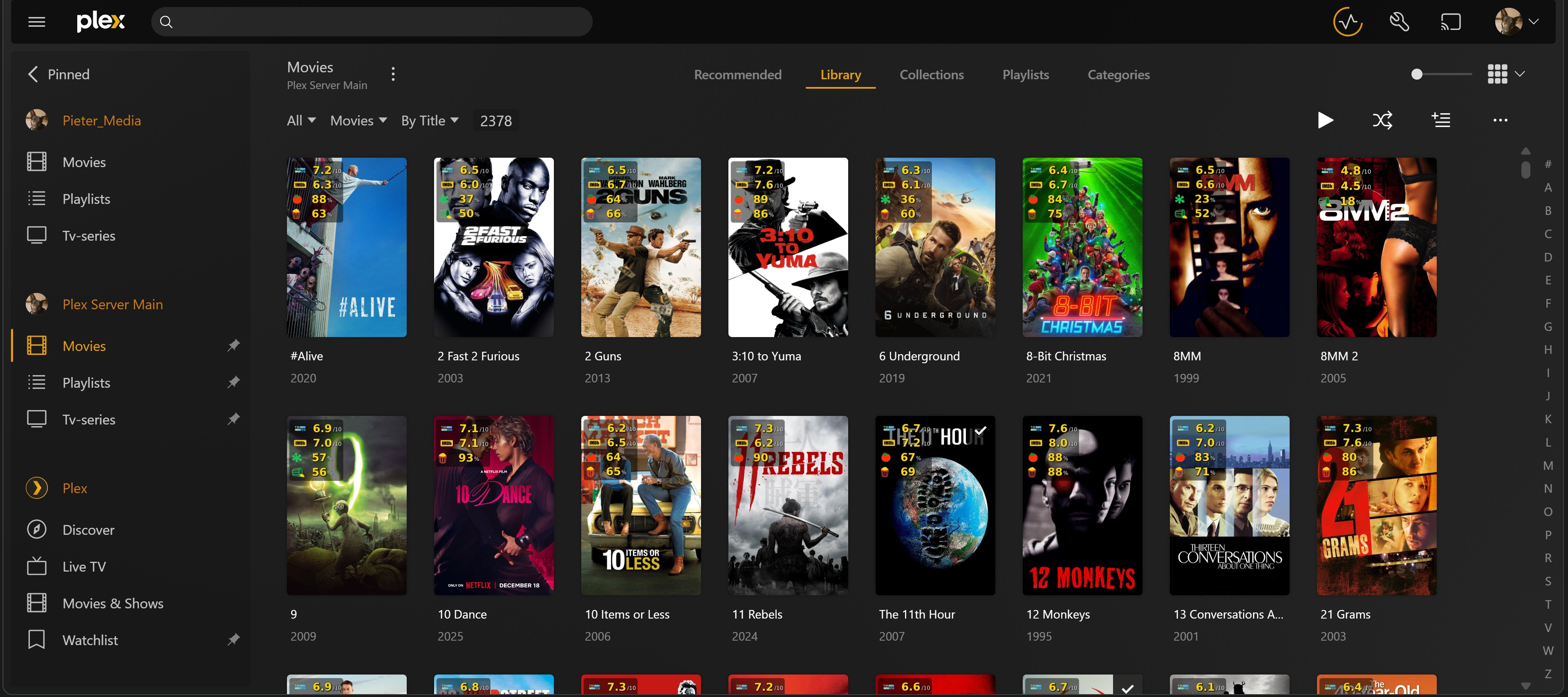
Displays ratings from IMDb, TMDB, Rotten Tomatoes (Critic & Audience) in one beautiful badge on your posters.

💾

Automatic Backups

Your original posters are automatically backed up before any changes. Restore them anytime with a single click.

📚

Collection Manager

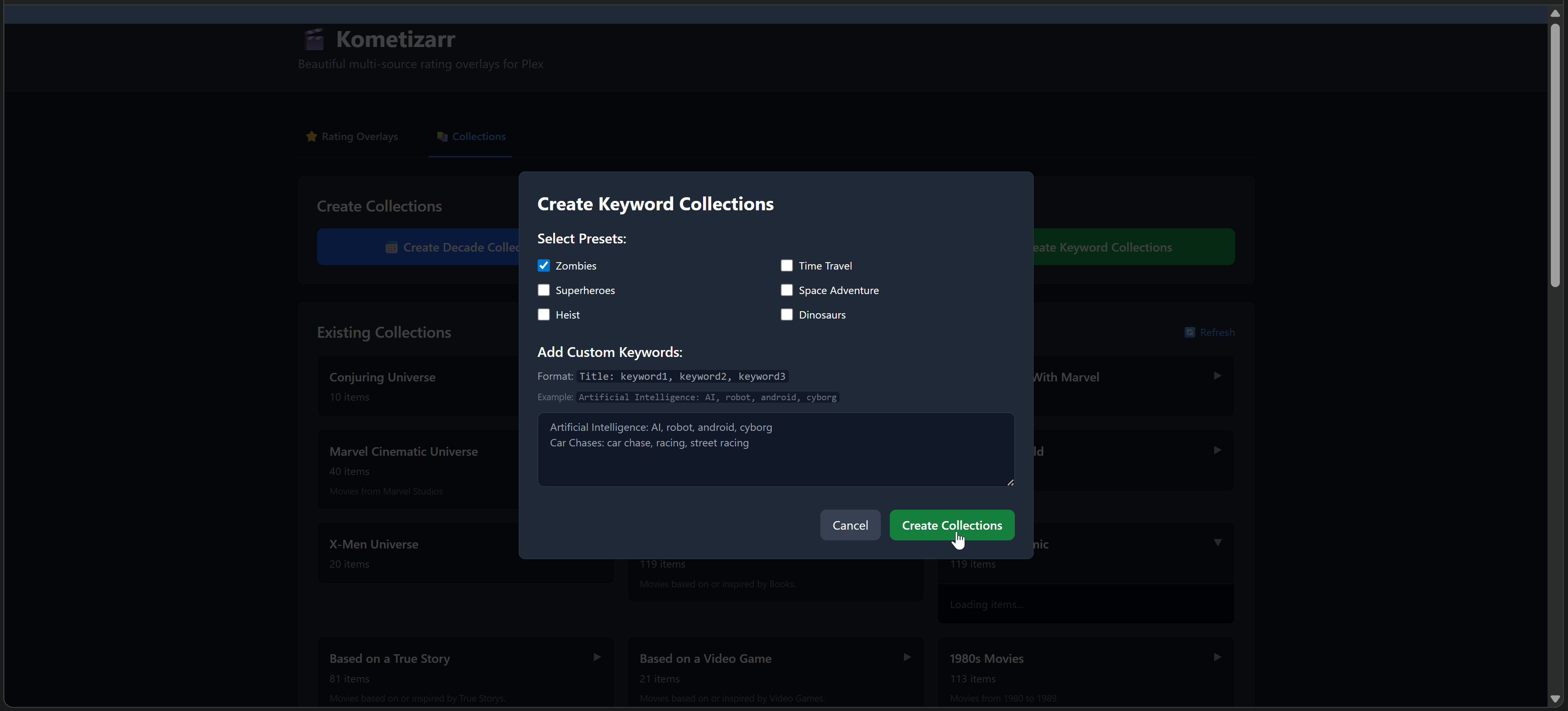
Create and manage Plex collections by decade, studio, network, or keyword. Perfect for organizing your library.

🎨

Customizable Position

Choose where rating badges appear on your posters: top-left, top-right, bottom-left, or bottom-right.

🔄

Force Reapply

Update all overlays with fresh ratings anytime. Uses backed up originals, so you never lose quality.

🌐

Web Interface

Modern, responsive web UI with real-time progress tracking. Manage your entire library from your browser.
Quick Start

Get up and running in minutes with Docker Compose

Installation Steps
# Clone the repository
git clone https://github.com/P2Chill/kometizarr.git
cd kometizarr

# Copy and configure environment variables
cp .env.example .env
# Edit .env with your Plex credentials and API keys

# Start with Docker Compose
docker-compose up -d

# Access the Web UI
open http://localhost:3001

📖 Full installation guide and API key setup available on GitHub

How to Use

1

Access the Web UI

Navigate to http://localhost:3000 in your browser to access the Kometizarr dashboard.

2

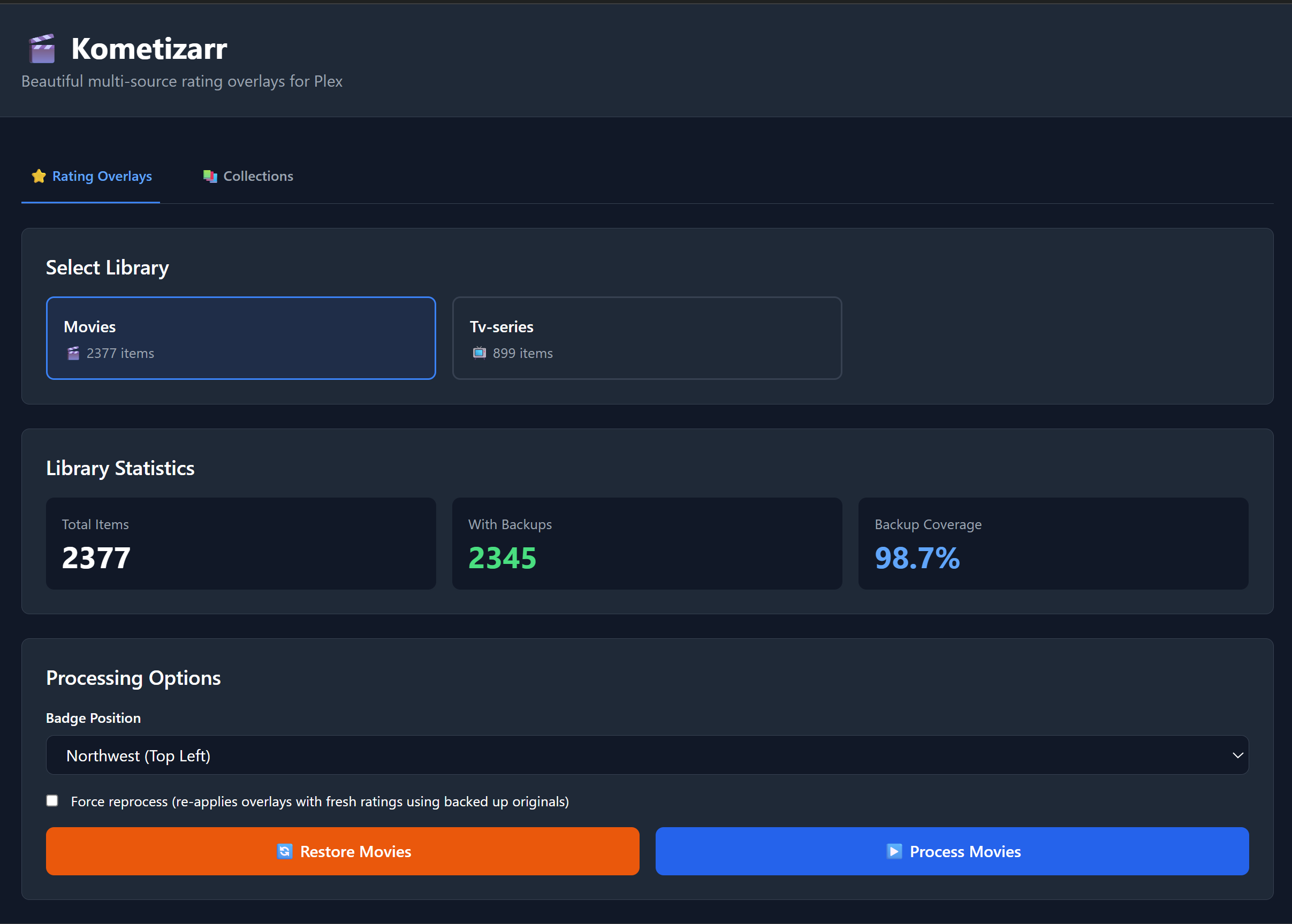
Select Your Library

Choose which Plex library you want to enhance (Movies, TV Shows, etc.).

3

Configure Options

Select badge position (northwest, northeast, southwest, southeast) and whether to force reprocess existing items.

4

Process Your Library

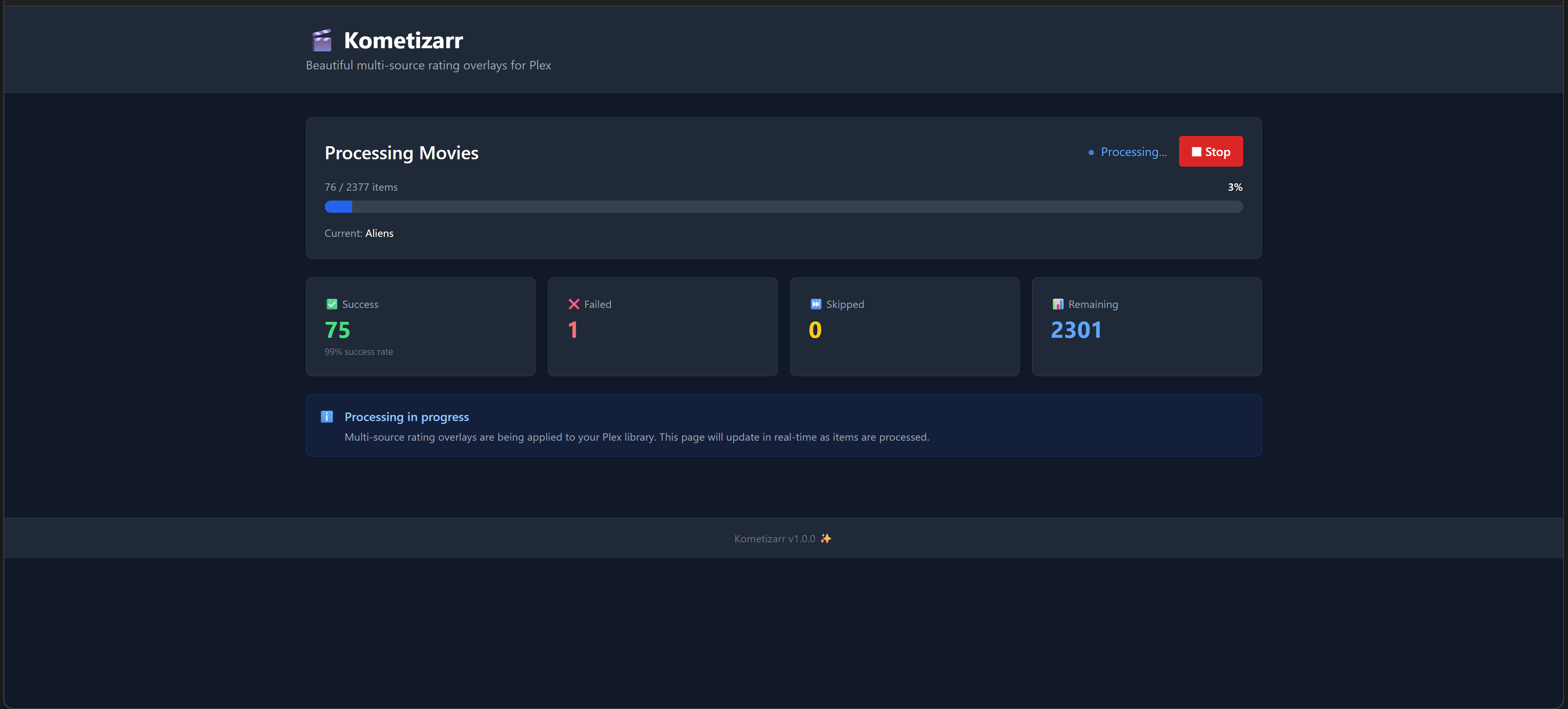
Click "Process Library" and watch real-time progress as rating overlays are applied. Original posters are automatically backed up.

5

Restore Anytime

Use the "Restore Originals" button to remove overlays and restore your original posters from backup.

Screenshots

See Kometizarr in action

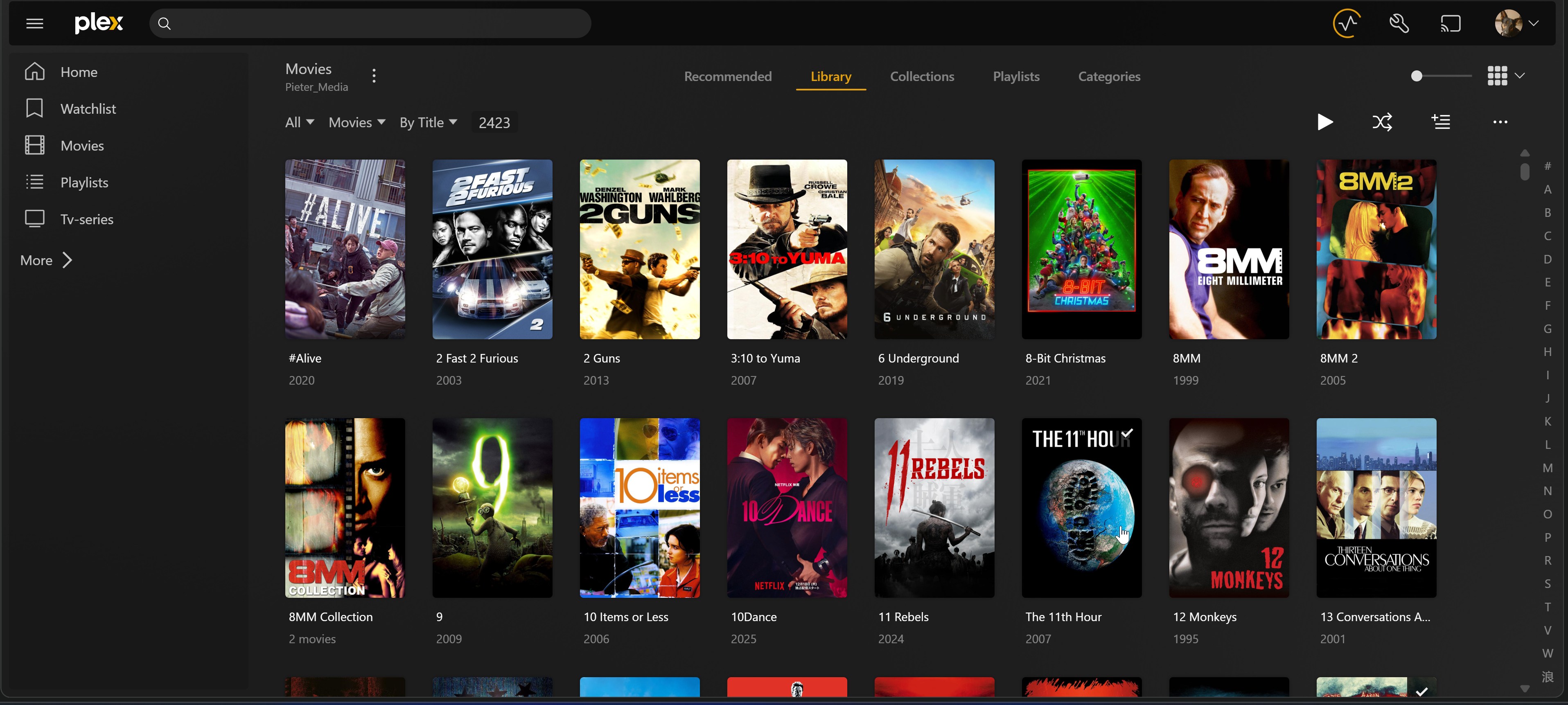
Before - Clean Posters

Plex library before Kometizarr

After - With Rating Overlays

Plex library with Kometizarr rating overlays

Web Dashboard

Main Dashboard - Library Selection & Statistics

Kometizarr main dashboard

Real-Time Processing Progress

Kometizarr processing progress

Smart Collection Manager

Kometizarr collection creation